Training labs
You are following a course on this cloud. Each chapter ends with a lab: something you build for real, in your own dashboard. This page explains how a lab is checked.
Where it is
Open your dashboard. In the left sidebar there is a Training item.
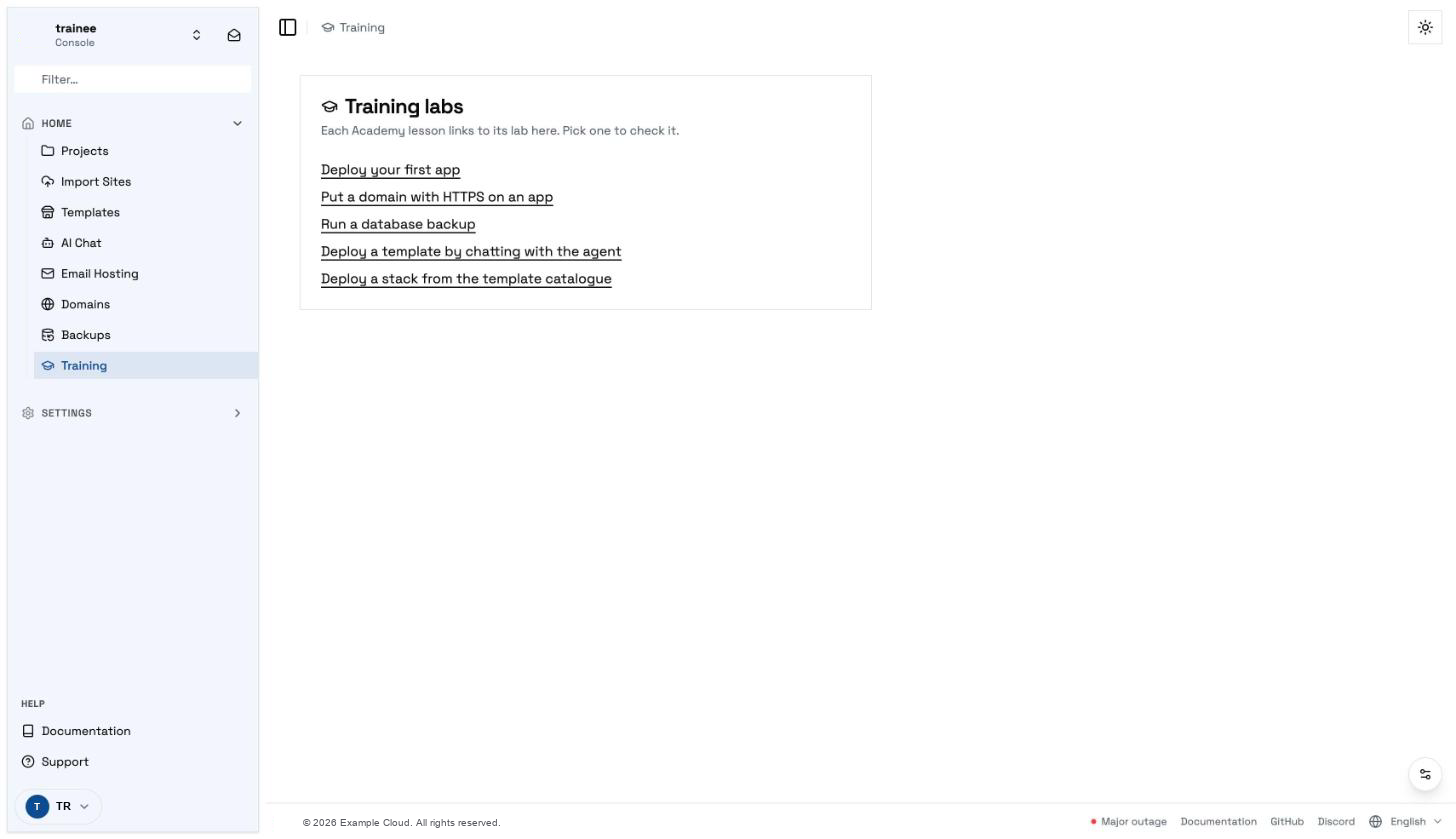
It is there only while your organization is on the course. If you do not see it, ask your mentor. Either your organization has not been put on the course yet, or this cloud does not offer Training at all. Neither one is yours to change.
The Training page lists five labs:
- Deploy your first app
- Put a domain with HTTPS on an app
- Run a database backup
- Deploy a template by chatting with the agent
- Deploy a stack from the template catalogue
Your lesson links straight to the lab it ends with.
How a check works
Do the lab in your dashboard, the way the lesson shows. Then open the lab on the Training page and press Check my lab.
The cloud looks at what you actually built: your applications, domains, backups and stacks. It does not read your answers. It answers in one of two ways:
- Passed. Your work is good. Now submit the lab in the Academy — your lesson is marked done from there, not from this page.
- Not yet. One sentence tells you the one thing missing, for example that your domain has HTTPS off, or that your backup has never run. Do that, then press the button again. You can check as many times as you like.
If you are stuck
- Read the sentence under Not yet first. It says what is missing, and for most labs which tab to open. For the first lab, look at Deployments on your application.
- A lab checks your whole organization, so a domain or backup on any of your apps counts.
- Still stuck? Your mentor can open your dashboard and will know what to look at.
- Your mentor may give you a booking link to pick a time with them. Every time on that page is shown in your own local time, so book the one that suits you and do not convert it.