Deploying & the deployment controls
Every application has a General tab (the action buttons) and a Deployments tab (the history of each build/rollout). This page explains what each control does — especially the difference between Stop and Cancel, which look similar but are not.
The General-tab buttons
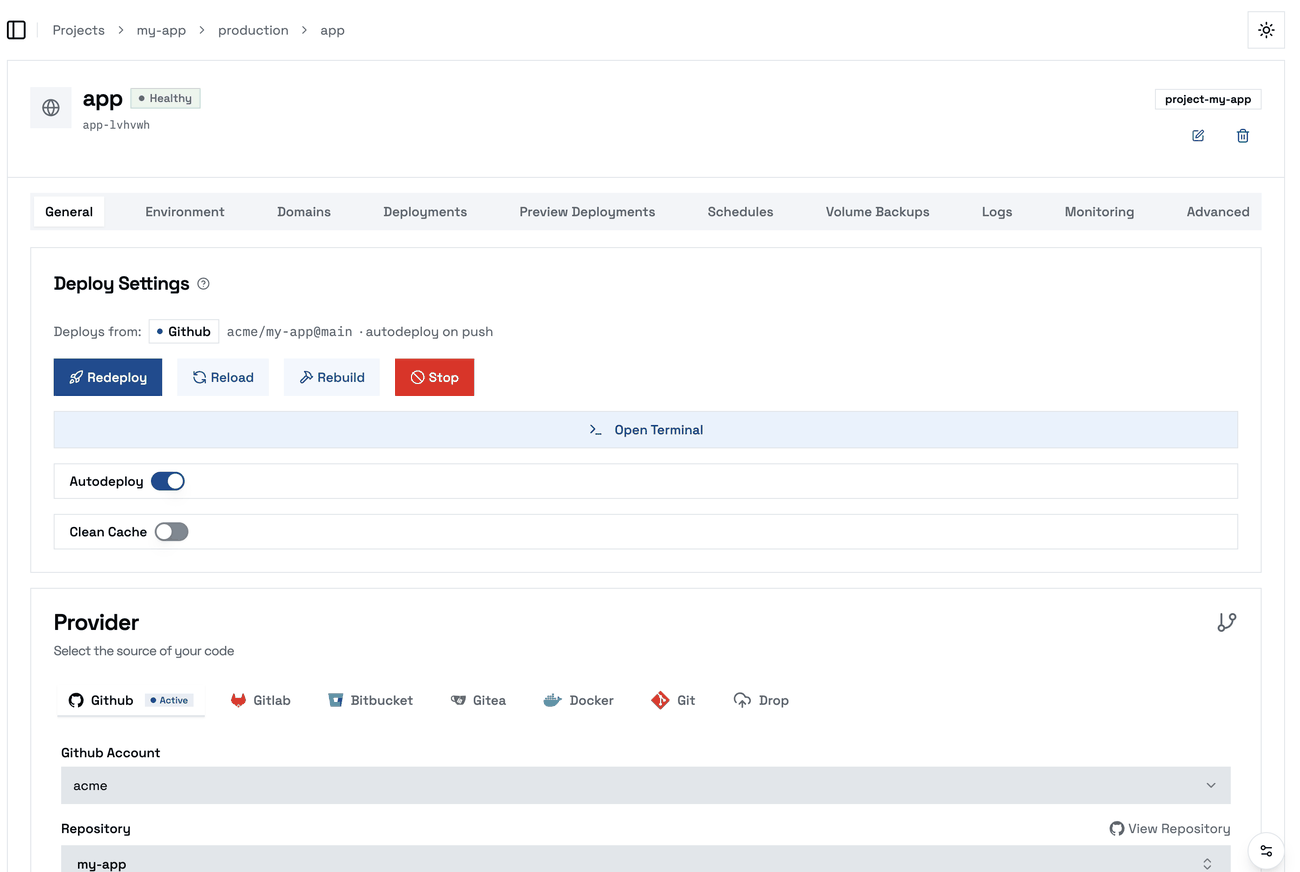
| Button | What it does | Rebuilds the image? | Takes the app offline? |
|---|---|---|---|
| Deploy / Redeploy | Fetches your latest source, builds the image and rolls it out. (Reads "Deploy" the first time, "Redeploy" after.) | Yes | No — the old version serves until the new one is ready |
| Rebuild | Builds the image again from the source it already has and rolls it out — no new commits are pulled. | Yes | No — the old version serves until the new one is ready |
| Reload | Restarts the running container from the existing image — a quick bounce, no build. | No | Briefly, as it restarts |
| Start | Brings a stopped app back up from its existing image. | No | No (it was already down) |
| Stop | Takes the app offline (and cancels any build in progress, so it can't come back up behind your back). | No | Yes — deliberately |
| Cancel build | Appears only while a build is running. Aborts that build and leaves the currently running version serving. | No | No |
Stop vs Cancel build — the important distinction
- Stop = power off. Use it when you want the app down. It stops the running container and cancels any in-flight build (otherwise the build would finish and bring the app back up, undoing your Stop).
- Cancel build = abort a build, stay up. Use it when a build is wrong, stuck, or superseded and you just want to stop it — without any downtime. Your last successful version keeps serving.
If you only want to get rid of a bad build, reach for Cancel build, not Stop.
The Deployments tab
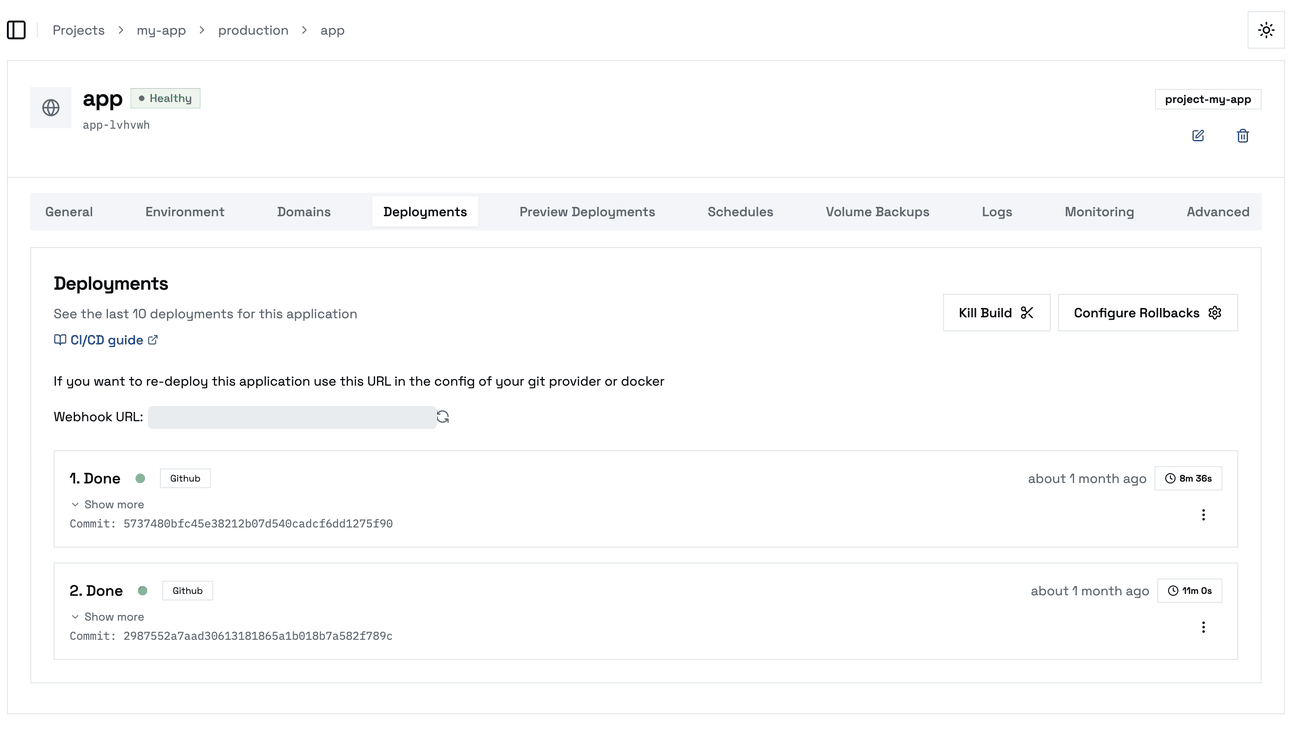
Lists recent builds/rollouts with their status. A running deployment shows a Cancel button that aborts that specific deployment (again, without taking the app offline). Finished ones can be rolled back to (Rollback) or removed from the list.
You rarely need to cancel manually: when you start a new deployment, Kuploy automatically cancels the app's older in-flight builds first — the newest always wins, so an older build can never finish late and quietly replace your newer one.