Deploy & license Leeram Business
Leeram Business is the business platform you host for many organisations — their catalog, customers, quotes, invoices and storefront. This page is the part between you and Kuploy: who operates the deployment, and its license. What your organisations buy from you is on Plans.
The license mechanics every product shares — claim codes, sync, states — are on Licenses.
How to use Leeram Business is in the app. Every deployment serves a public
user guide at /docs on its main domain, in English and French — getting
started, catalog, customers and inbox, quotes, invoices and getting paid, the
store, and settings — and links it from the account menu and the footer. See it
on leeram.co/docs. This section doesn't repeat it.
Who operates it
The operator of a Leeram Business deployment is whoever owns the tenant its license belongs to, signed in with Kuploy. It is checked against kuploy.app live, each time.
Owning an organisation on the deployment doesn't count — anyone who signs up owns the organisation they create — and neither does being Kuploy staff. You don't need an organisation on your own deployment to operate it.
Every operator page returns a plain 404 to everyone else.
Sign in at /admin/sign-in
Operator sign-in is the operator's own door: Continue with Kuploy signs
you in through your kuploy.app account and lands on /admin/license, or on the
admin page you were trying to reach. Customers who arrive there are pointed to the
normal sign-in page. It needs Kuploy sign-in configured on the deployment — see
SSO with kuploy.app.
The license
Leeram Business runs on infrastructure you own, so it may hold its license
key: set KUPLOY_LICENSE_KEY on the deployment. The first sync tells the
deployment which tenant it is licensed to, and from then on the operator check
above works.
You can also link it with a claim code: on /admin/license, generate a code
and enter it at kuploy.app/claim within 15 minutes.
The page notices the claim by itself.
/admin/license shows:
| Status | Fresh, Stale — sync overdue, Frozen — sync exhausted, Invalid — license rejected, Unlinked — re-claim required, or Empty — no license claimed yet |
| License key | Its first characters only |
| Last sync and Last error | When the deployment last heard from kuploy.app, and why the last attempt failed |
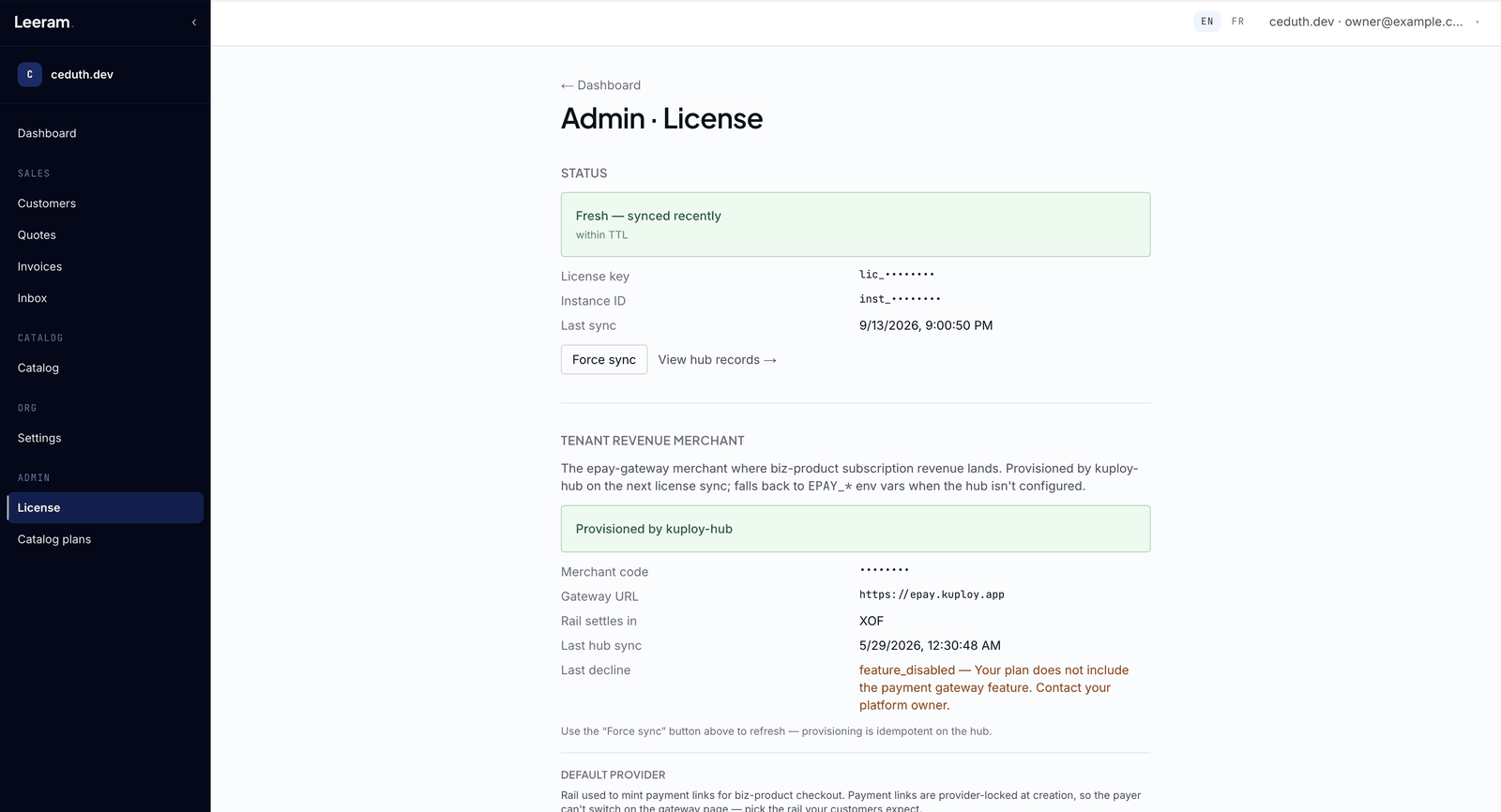
The license syncs every 30 minutes. Force sync refreshes it now, and View hub records shows exactly what kuploy.app returned on the last sync — read-only, without calling kuploy.app again.
Your tier's host-organisation cap
Your tier caps how many organisations the deployment may host. At the cap, a new organisation can't be created, and the person signing up is told the deployment is at capacity. Upgrade the Leeram Business plan you buy from Kuploy to host more — see Plans & the two layers.
Payments
The Tenant revenue merchant panel on /admin/license is where the payments
your organisations make to you land, and where you pick the provider and country
that charges them. How that merchant is provisioned, and what its Rail settles
in and Last decline rows mean, is on ePay.
Also on your deployment
- Custom Domain — branded email and storefront hosting on your organisations' own domains.
- SSO with kuploy.app — registering the deployment for Kuploy sign-in.