Deploy & license GrowthOps
GrowthOps is white-label: you run a deployment under your own brand and sell it to your own customers. This page is the part between you and Kuploy — where the deployment runs, who counts as its operator, and its license. What your customers buy from you is on Plans, customers & pricing.
The license mechanics GrowthOps shares with every product — claim codes, sync, states — are on Licenses.
How to use GrowthOps is in the app. Every deployment serves a public user
guide at /docs — getting started, recommendations, Ask Google, team and seats,
and measurement — and links it from the footer. See it on
growthops.kuploy.app/docs. This section
doesn't repeat it.
1. Say where it runs
Set GROWTHOPS_TRUST. It decides whether the deployment may hold a license key,
and nothing infers it — anything other than exactly server is treated as
tenant, so saying nothing gets you the safe answer.
| Value | Where the deployment runs | A license key in the environment |
|---|---|---|
tenant (default) | As a workload on somebody else's cluster — for example on Kuploy Cloud | Ignored. The key would belong to whoever runs the cluster, not to you. Claim the license instead. |
server | On infrastructure you own — Vercel, your own cluster | Honoured as a seed, from KUPLOY_LICENSE_KEY |
The reason is on Licenses → A license key is a credential.
2. Say who operates it
Owning an organisation on the deployment doesn't make anyone its operator — everyone who signs up owns the one they create. GrowthOps recognises its operator in two ways, and either is enough:
- The owner of the licensed tenant, signed in with Kuploy. Asked of
kuploy.app live, every time. This needs Kuploy sign-in configured on the
deployment (
KUPLOY_OIDC_CLIENT_IDandKUPLOY_OIDC_CLIENT_SECRET) — see SSO with kuploy.app. - A verified address in
GROWTHOPS_OPERATOR_EMAILS(comma-separated). This is how you get in on a fresh deployment, before there is a license to ask about. It is an identity, not a credential: it grants nothing on kuploy.app, and whoever can set it already controls the deployment. Only verified addresses count, so it needsREQUIRE_EMAIL_VERIFICATION=true.
The address list keeps working after the license is claimed, deliberately: it is
how you get back in when the license is unlinked or kuploy.app is unreachable.
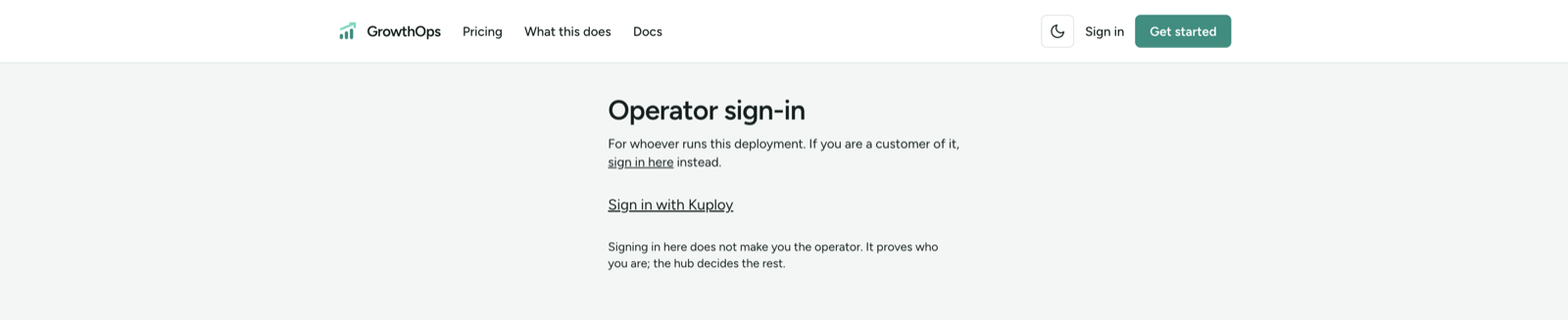
3. Sign in at /admin/sign-in
Operator sign-in is the operator's own door. It lands on the license page,
works without an organisation on the deployment, and points customers who
arrive there to the normal /sign-in. It is kept out of search results.
4. Claim the license
At /admin/license, ask for a claim code and enter it at
kuploy.app/claim. The key travels from kuploy.app
into the deployment's own storage; you never handle it. The page then shows the
license state and the tier kuploy.app reports:
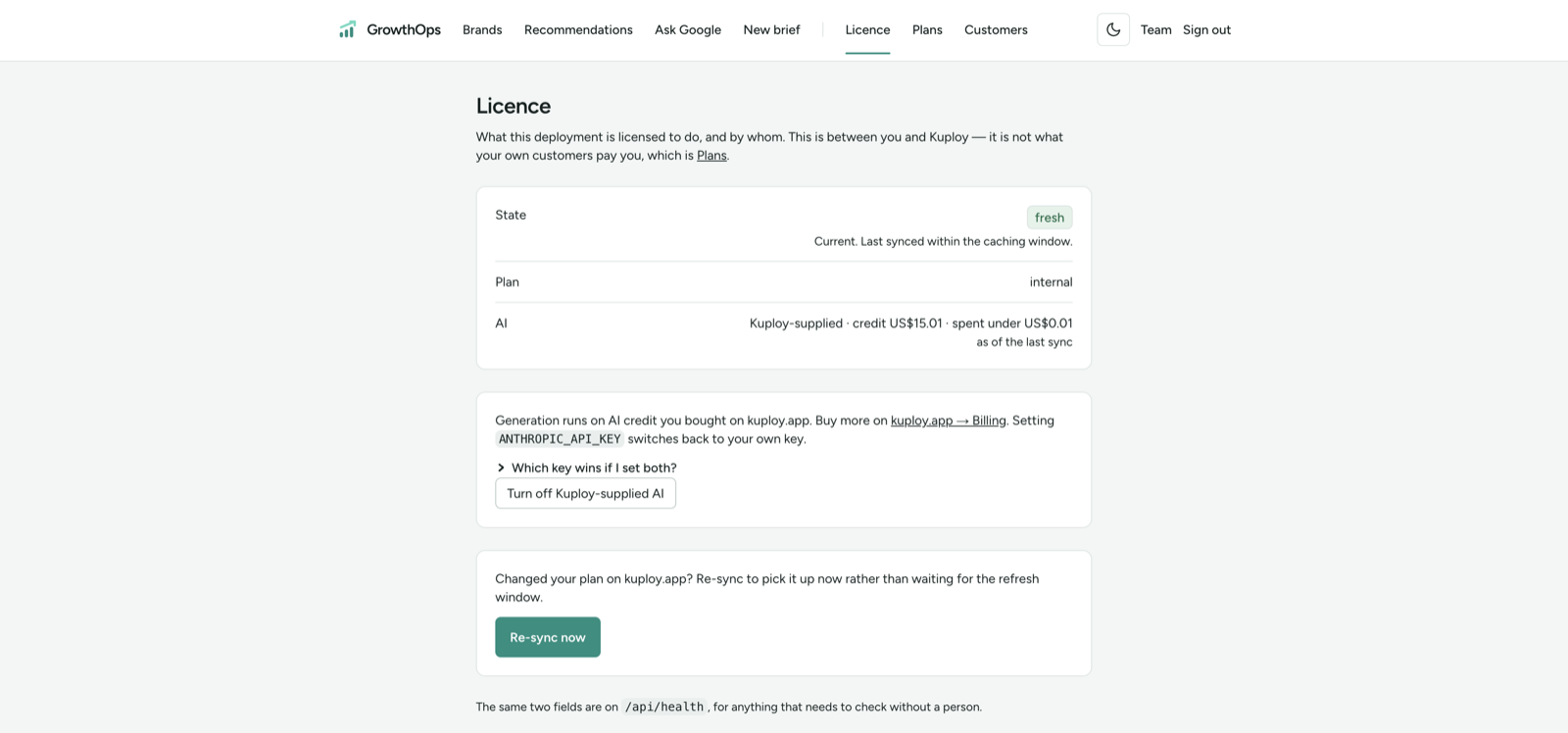
If the page says the deployment isn't pointed at a hub, set KUPLOY_HUB_URL and
PUBLIC_URL — both are needed.
5. Schedule the license refresh
GrowthOps doesn't sync in-process. It re-reads kuploy.app only when something
asks, so schedule a POST /api/license/sync every 30 minutes, authenticated
with Authorization: Bearer $CRON_SECRET. On Kuploy Cloud, that is an
application schedule running:
sh /app/scripts/license-sync.sh
- Without
CRON_SECRETthe route answers 404 to every call — including the scheduler's — so the symptom is silence, not an error. - A failed sync fails the scheduled run, so you see it.
- Before the claim, the call is skipped rather than failed: a deployment waiting to be claimed isn't broken.
Without a schedule, the license goes stale and then frozen, and plan changes
or a revocation never reach the deployment.
6. Choose how GrowthOps reaches AI
GrowthOps drafts copy with Claude. It uses, in this order:
- Your own key —
ANTHROPIC_API_KEY, plusANTHROPIC_BASE_URLif you route through your own gateway. When it's set, it always wins and nothing below applies. - Kuploy-supplied AI — prepaid credit you buy on kuploy.app. It needs a claimed license, and it's off until you turn it on.
Turn on Kuploy-supplied AI
- Buy a credit pack on kuploy.app.
- At
/admin/license, click Use Kuploy-supplied AI and confirm. The button only appears while noANTHROPIC_API_KEYis set. - The license syncs straight away. The card above the button then reads Generation runs on AI credit you bought on kuploy.app, with a link to kuploy.app → Billing to buy more. Turn off Kuploy-supplied AI switches it back off, also with an immediate sync; setting
ANTHROPIC_API_KEYswitches back to your own key.
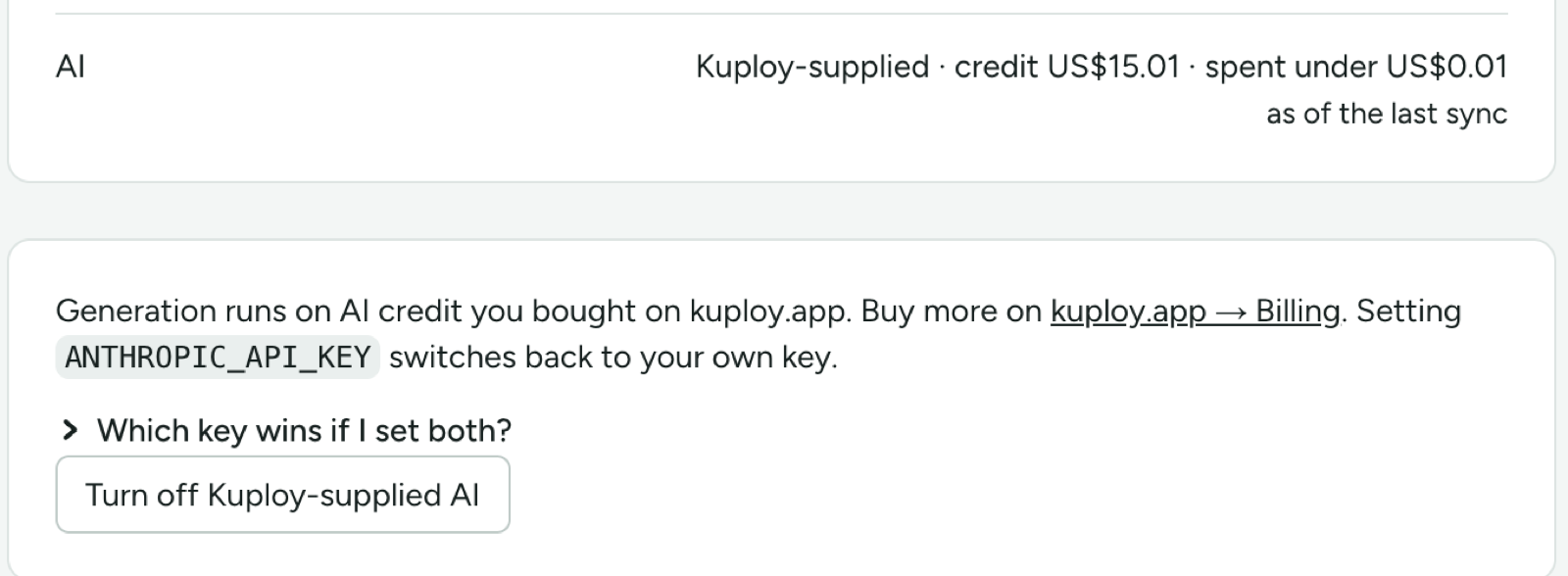
The license page's AI row says which source is in use: Your own key (ANTHROPIC_API_KEY); Off — no key set, Kuploy-supplied AI not turned on; or Kuploy-supplied · credit … · spent … — or kuploy.app's reason when it declines. Amounts are as of the last sync, and spend below one cent shows as under US$0.01. The scheduled refresh keeps them current, and a new token reaches the deployment on its own.
Generation is refused until you buy more. /api/health reports generationSource: own, kuploy, or null when neither is available.
Running unlicensed
Supported: nothing is switched off. What you lose is your tier's ceiling, so your
own plans go unchecked against one. Every deployment reports
licence: {plan, state} on /api/health.