Plans, customers & pricing
What your customers pay you is yours: the plan names, the prices and the limits. What you pay Kuploy is separate, lives on kuploy.app, and only caps what you may offer — see Plans & the two layers.
Your plans — /admin/plans
Plans is where you write your catalog. For each plan you set:
- A price and a billing period — monthly, yearly, one-off, or none — in the plan's own currency.
- Its quotas — brands, seats, the AI budget per month, and proposals per brand per day.
- Show on the pricing page — whether it appears on your public
/pricing. A plan that isn't shown can still be given to a customer by hand, which is how a private deal needs no public price. - Available — a plan that isn't available is retired: existing customers keep it, but nobody new can be put on it.
- Trial days, if you offer a trial.
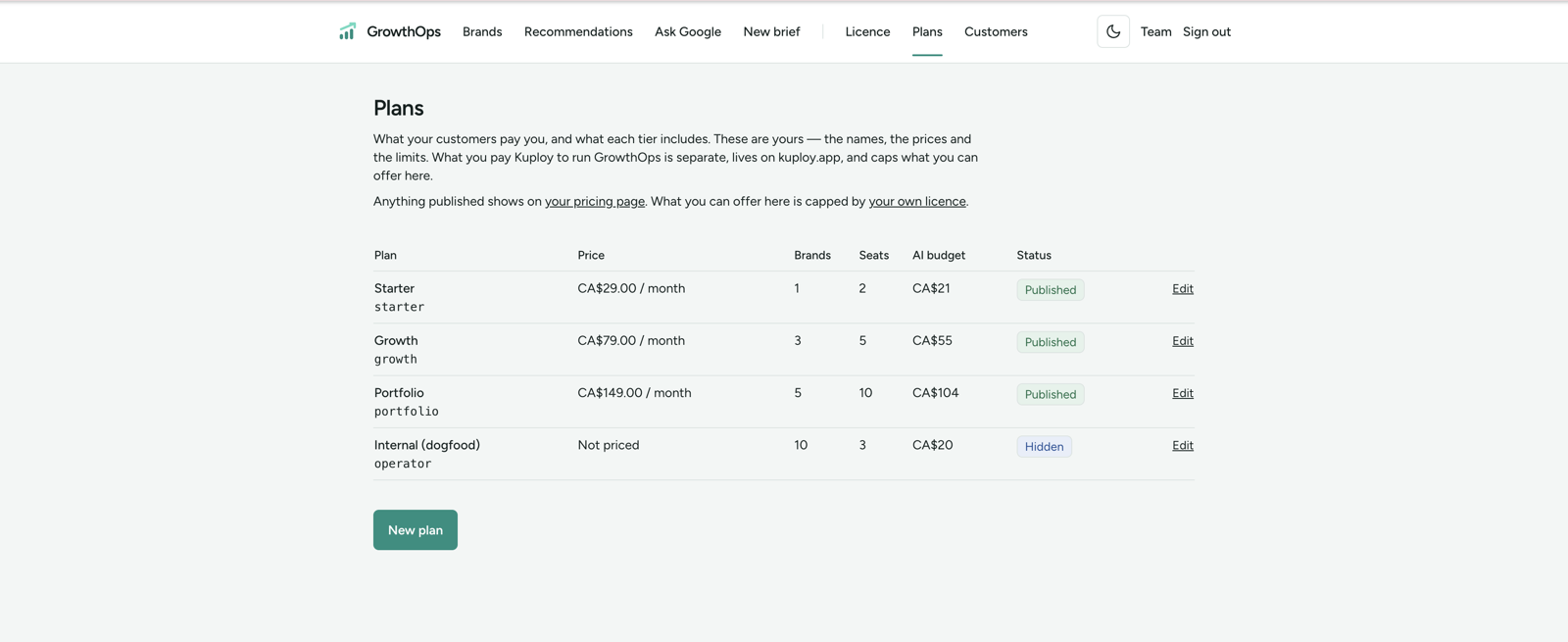
A plan is refused when you save it if it promises more than your tier on kuploy.app allows. AI budgets are also shares of what the whole deployment may spend on models: the page shows that amount, and a plan promising more than is left is refused.
AI in your plans
- Your tier decides whether AI is included. If it isn't, a plan can't carry an AI budget, and nothing that needs AI runs.
- Your tier's AI budget per organisation applies only when Kuploy supplies the AI key. On your own key it's your money, so that number doesn't cap your plans — the deployment's own AI budget still does.
- A plan whose AI budget is more than it charges a month shows a warning when you save it. It still saves: that AI runs on your key.
- Each organisation stops at its plan's AI budget for the month, whether the deployment uses your own Anthropic key or an AI gateway key.
The AI budget is stated in the plan's currency. Models are billed in US dollars; GrowthOps converts that spend into your currency, so every number on a pricing card is in the same money as its price.
Your customers — /admin/orgs
Customers lists every organisation on the deployment, with its owners, members, brands and plan.
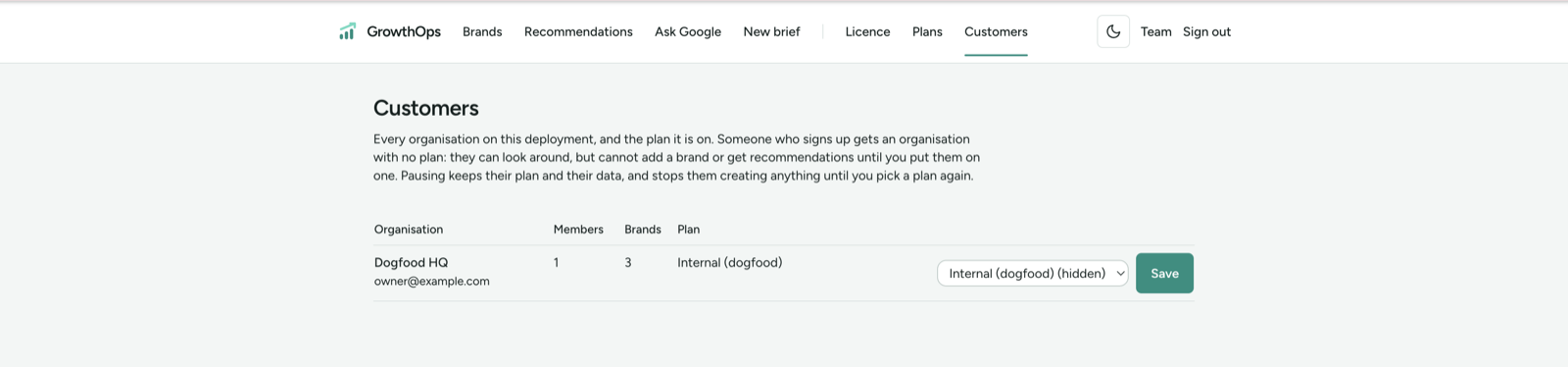
Someone who signs up gets an organisation with no plan. They can look around, but can't add a brand or get recommendations until you put them on one.
For each organisation you can:
- Put it on a plan — any available plan, shown on the pricing page or not.
- Pause it — it keeps its plan and its data, and can't create anything until you pick a plan again.
Putting an organisation on a plan is refused when:
- the plan promises more than your tier allows, or more AI budget than the deployment has left;
- your tier's customer-organisation cap is already reached — pause an organisation or upgrade the plan you buy from Kuploy;
- the plan is retired — make it available again on Plans first.
Organisations on a system plan belong to the platform and can't be changed from here.
What your customers see
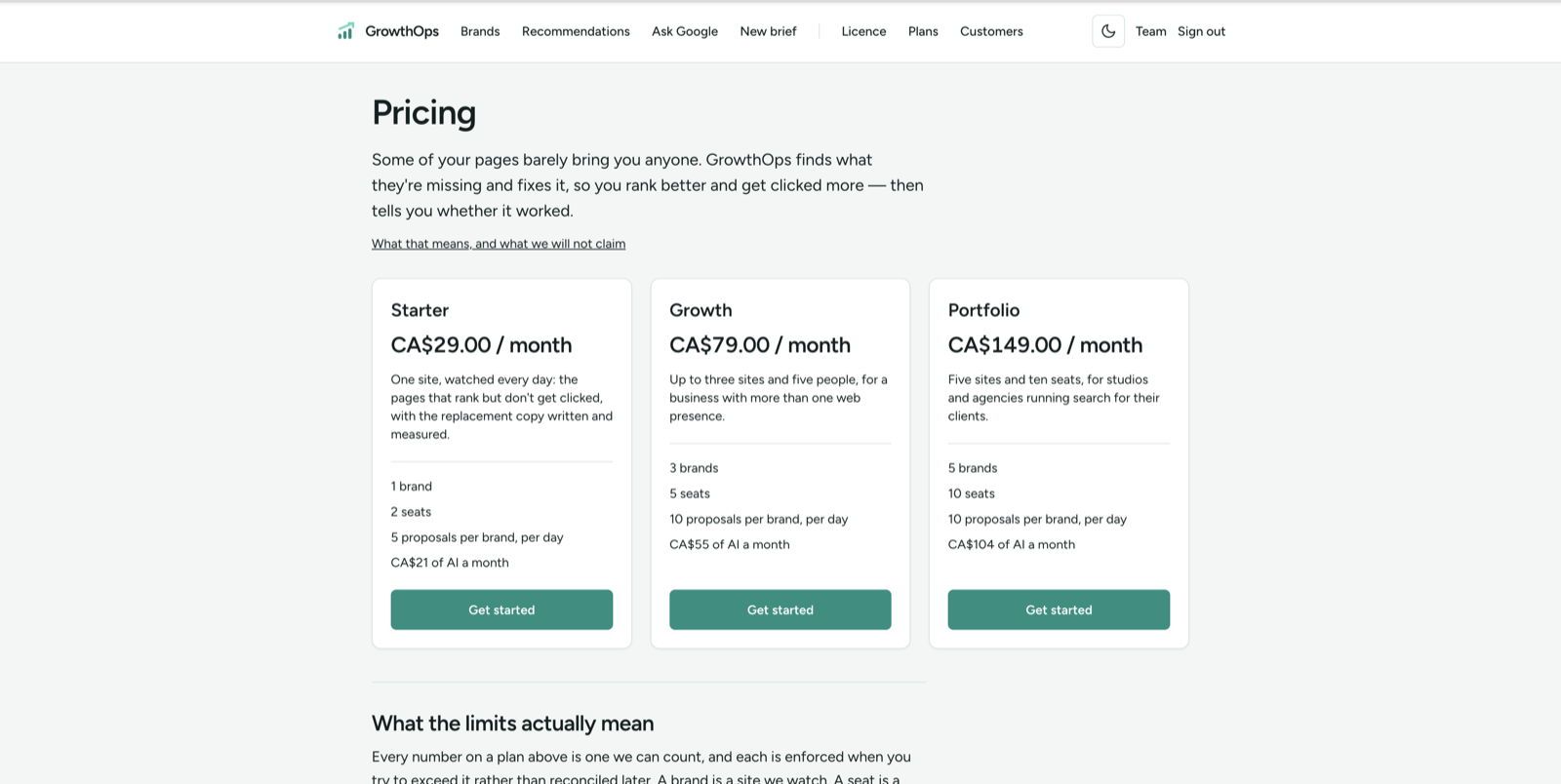
/pricingis public, and shows the plans that are available and shown on the pricing page./plantells a signed-in customer where they stand: on a plan, paused, or with no plan yet. Each case tells them that whoever runs the deployment is the one to ask, and links to/pricing.
The guide your customers read
GrowthOps ships its customer guide inside the deployment, at /docs: getting
started, reading recommendations, asking Google to recrawl, managing their team,
and how results are measured. It is linked from every page's footer and readable
signed out, so there is nothing for you to write or host.