Licenses
A license is what lets a deployment run as a product you pay for. It is
issued on your account at kuploy.app, carries your
Layer 1 tier, and reaches each deployment as a license key
(lic_…) that the deployment keeps in sync with kuploy.app.
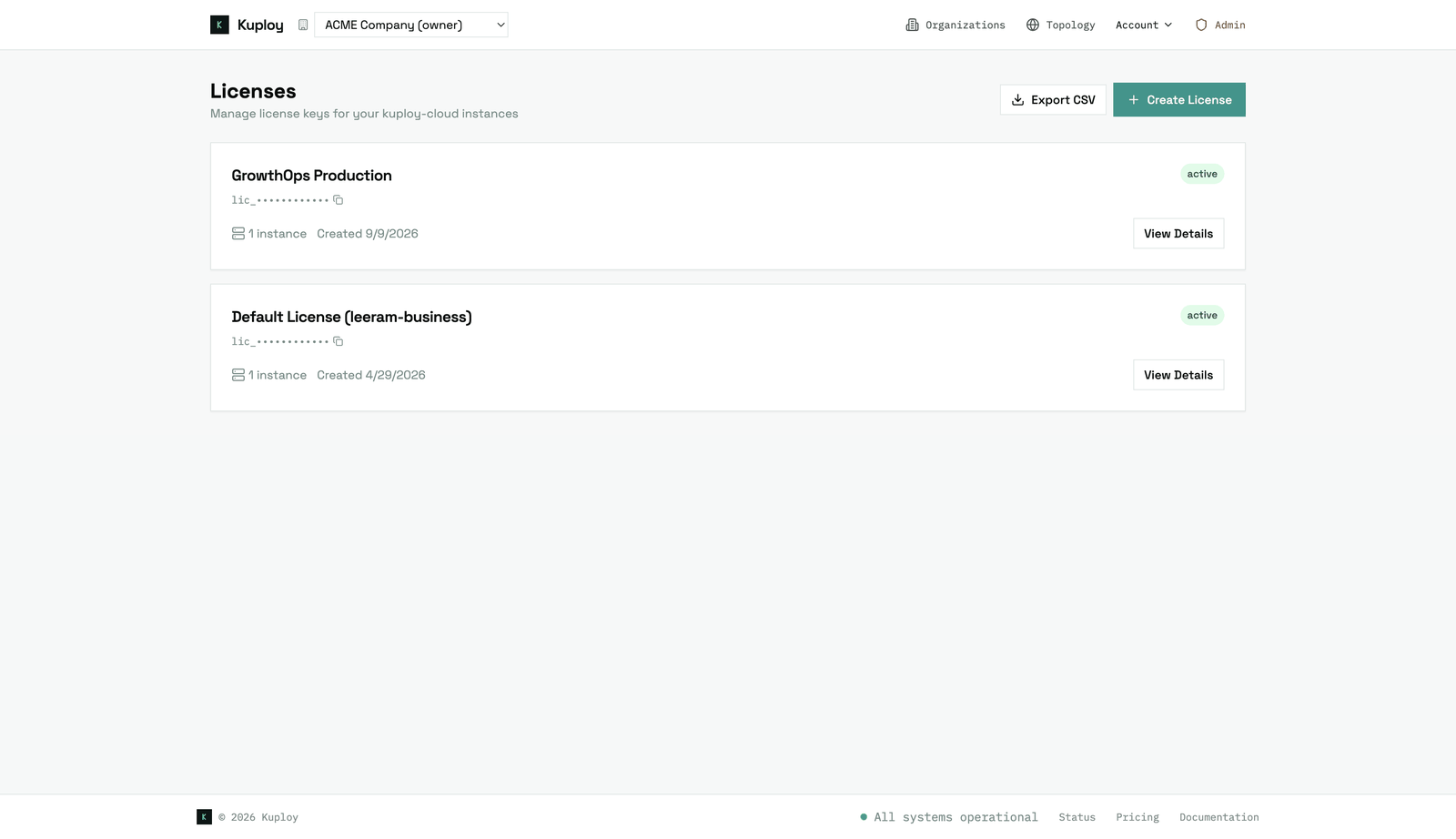
The same license, claim-code and sync mechanics serve every product. This page covers what they share; each product's own page covers its setup: Kuploy Cloud · Leeram Business · GrowthOps.
Linking a deployment
There are two ways a deployment gets its key.
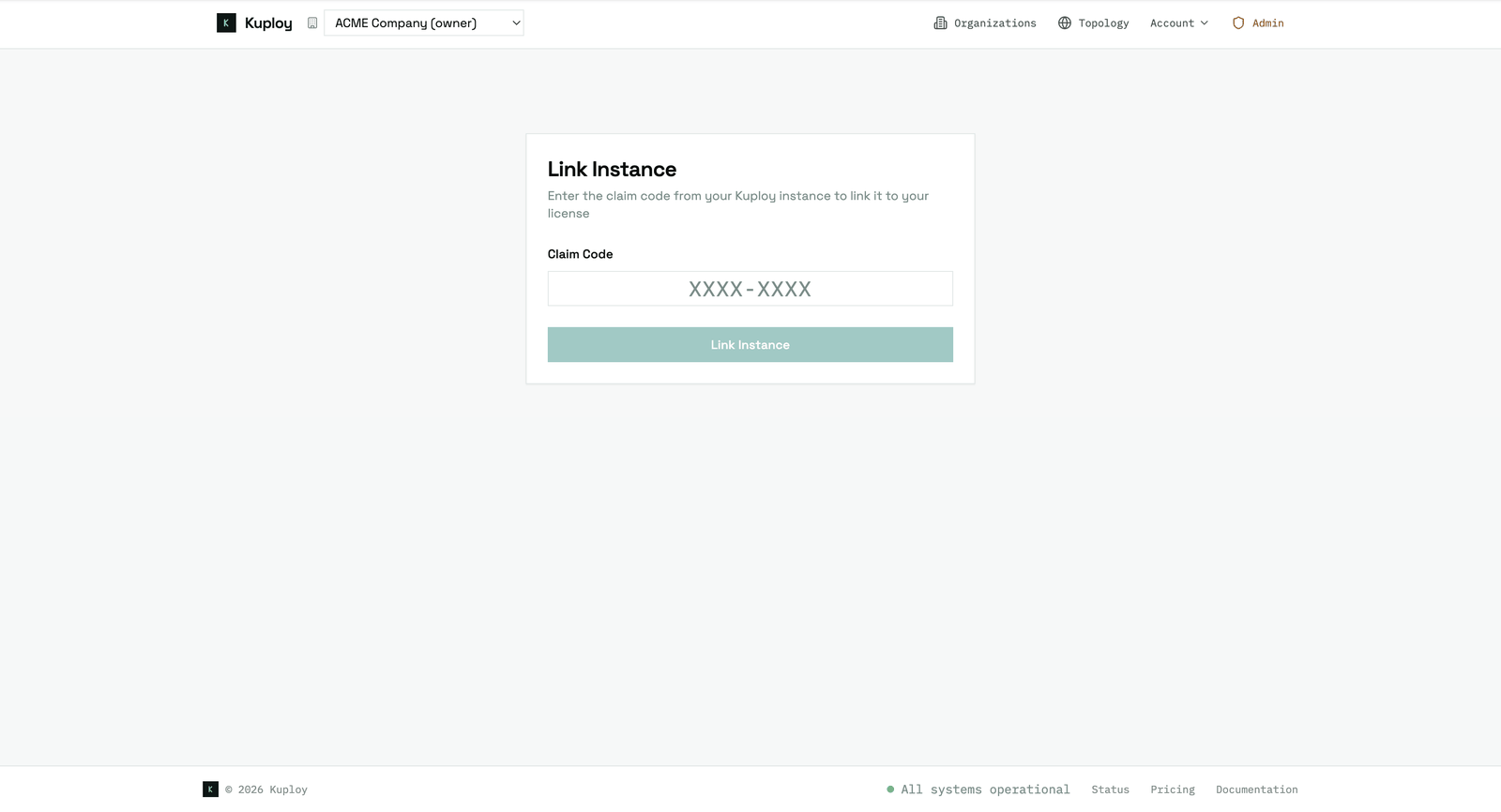
A claim code. The deployment asks kuploy.app for a short-lived code and shows it to you. Enter it at kuploy.app/claim, pick the license, and the key travels from kuploy.app straight into the deployment — you never copy it. This works behind firewalls, and it is the only way in for a deployment that must not hold a key in its environment.
A key in the environment, where the product may hold one:
| Product | Variable | When it's honoured |
|---|---|---|
| Kuploy Cloud | LICENSE_KEY | Always; a key saved in the admin UI takes precedence |
| Leeram Business | KUPLOY_LICENSE_KEY | Always — it seeds the license on first boot |
| GrowthOps | KUPLOY_LICENSE_KEY | Only when GROWTHOPS_TRUST=server |
Staying in sync
Once linked, a deployment refreshes its license from kuploy.app on a schedule. That is how plan changes, reassignments and revocations reach it.
| Product | How often | Sync now |
|---|---|---|
| Kuploy Cloud | Every hour, in-process | Retry Sync on the Admin dashboard |
| Leeram Business | Every 30 minutes | Force sync on /admin/license |
| GrowthOps | Every 30 minutes, from a schedule you set up | Re-sync now on /admin/license |
If kuploy.app can't be reached, a deployment keeps working from what it last received. It reads stale once that is past its cache window, and frozen once the grace period after that runs out.
| State | Means |
|---|---|
fresh | Synced recently. |
stale | Past its refresh window, still within the grace period. It keeps retrying. |
frozen | The grace period ran out without a successful sync — or the license has never synced at all. |
invalid | kuploy.app reports the license as revoked, suspended or expired. |
unlinked | kuploy.app no longer recognises this instance. Claim it again. |
empty | No license yet. |
What a lapsed license does differs by product. Kuploy Cloud blocks new resources when it is frozen or invalid — see Kuploy Cloud licensing. GrowthOps switches nothing off; it only loses the ceiling its plans are checked against.
Who operates a deployment
Being the owner of an organisation on a deployment never makes you its operator: anyone who signs up owns the organisation they create. Operating a deployment is a separate question, and each product answers it this way:
| Product | The operator is… |
|---|---|
| Kuploy Cloud | A platform admin of the instance — see Admin Dashboard. |
| Leeram Business | Whoever owns the tenant the license belongs to, signed in with Kuploy. |
| GrowthOps | Whoever owns the tenant the license belongs to, signed in with Kuploy — or a verified address listed in GROWTHOPS_OPERATOR_EMAILS. |
Ownership is checked live against kuploy.app each time, so losing it takes effect within about an hour everywhere. Kuploy staff are not operators of your deployment unless they own your tenant, and you need no Kuploy role to run your own. The claim behind this is documented for integrators in OIDC Custom Claims.
Operator pages don't say "access denied" to anyone else — they return a plain 404, so they look like they don't exist.
Moving a deployment to another license
A platform admin can reassign an instance to a different license without downtime; it picks the change up on its next sync. See Reassigning an Instance. Every reassignment is listed under Assignment History on the license's page at kuploy.app.
A license key is a credential
A lic_… key can send branded email as any organisation of the tenant it
belongs to. It is a credential, not a configuration value: never put one in a
workload you don't control, and never hand your own key to somebody else's
deployment.
On a product you run yourself this stays bounded — the key is yours, and so are the organisations it could send as. It stops being bounded the moment the key travels somewhere you don't control. This is why GrowthOps ignores a key in its environment unless you declare that it runs on infrastructure you own.