What your customers see
When a customer pays — an organisation paying you for its plan on Kuploy Cloud, or a customer paying a Leeram Business invoice with Pay now — they leave your deployment for ePay's checkout counter, and come back when it's done.
Choosing a method
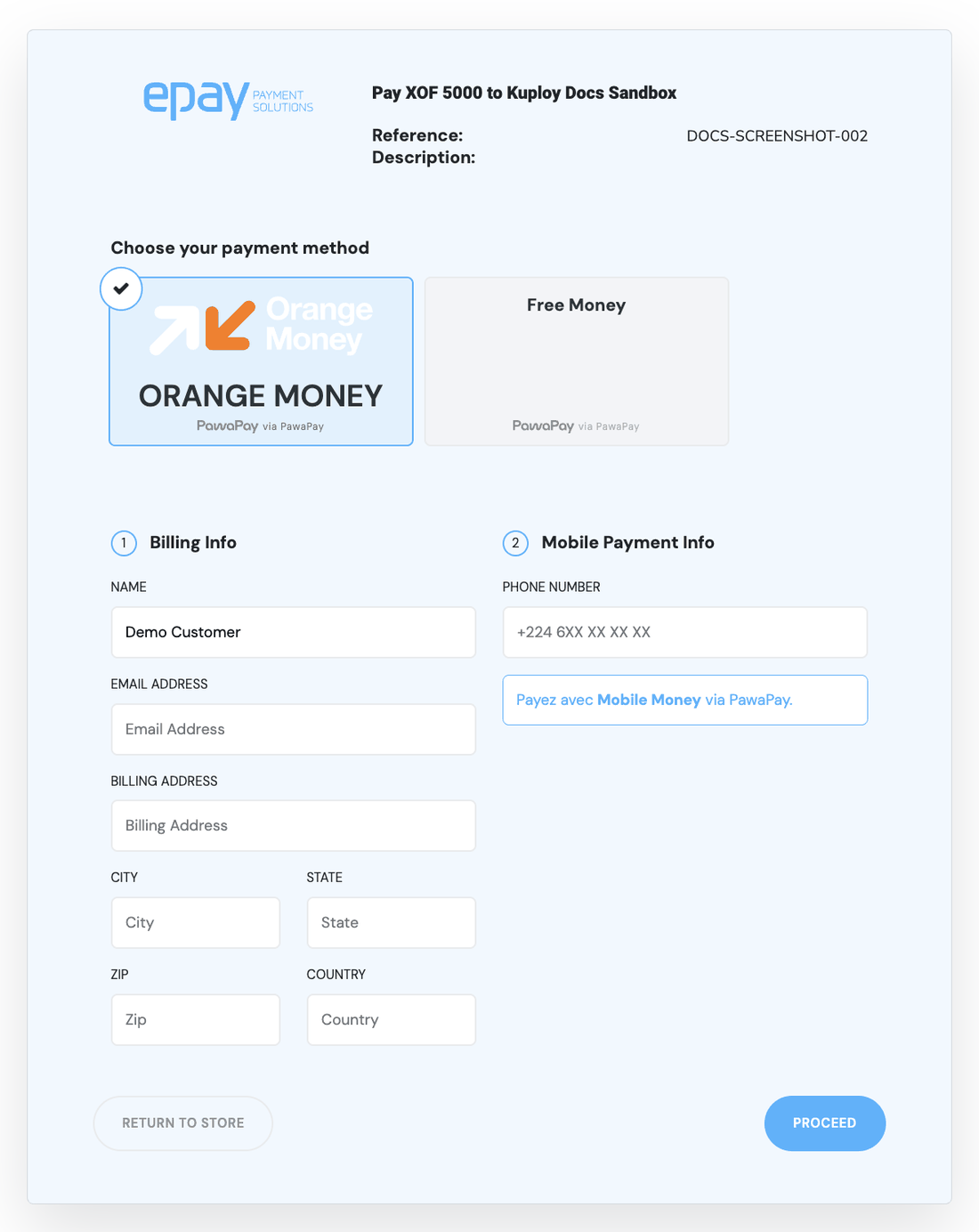
The counter opens on the payment methods, not on providers. The customer sees Orange Money, MTN MoMo, Visa / MasterCard — each with its own brand — and never the provider behind it.
Only methods that can actually take this payment are offered: a method that doesn't exist in the country the payment is routed to, or can't settle its currency, doesn't appear. New methods appear on their own as they are enabled on the gateway; nothing in your deployment names them.
Entering details
The counter asks only for what the chosen method needs. For most mobile money that is a phone number; some methods also ask for a one-time code the customer generates on their handset. Some card methods hand the customer to the card provider's own hosted page, and the counter says so before it does.
Confirming on the phone
For mobile money, the customer usually approves the payment on their phone, outside the browser. While they do, the counter shows a confirm on your phone screen and keeps checking. It moves on by itself when the payment settles or fails. If nothing happens for about two minutes it stops waiting and offers a link to check the status by hand.
The receipt
A settled payment ends on a receipt, and your deployment is told separately — see Where the money lands.
Something to give your customers
ePay's own walkthrough of these steps, written for the person paying, is public: How to pay.